Email API
Every MarkRelay deployment includes a focused HTTP API under /openapi/v1. Use it to add email to an application, automation, internal tool, or AI agent without operating SMTP.
Open the interactive reference
https://<your-deployment>/openapi/docs— interactive Swagger documentationhttps://<your-deployment>/openapi/openapi.json— OpenAPI 3.1 schema
Both are served directly by your MarkRelay deployment.
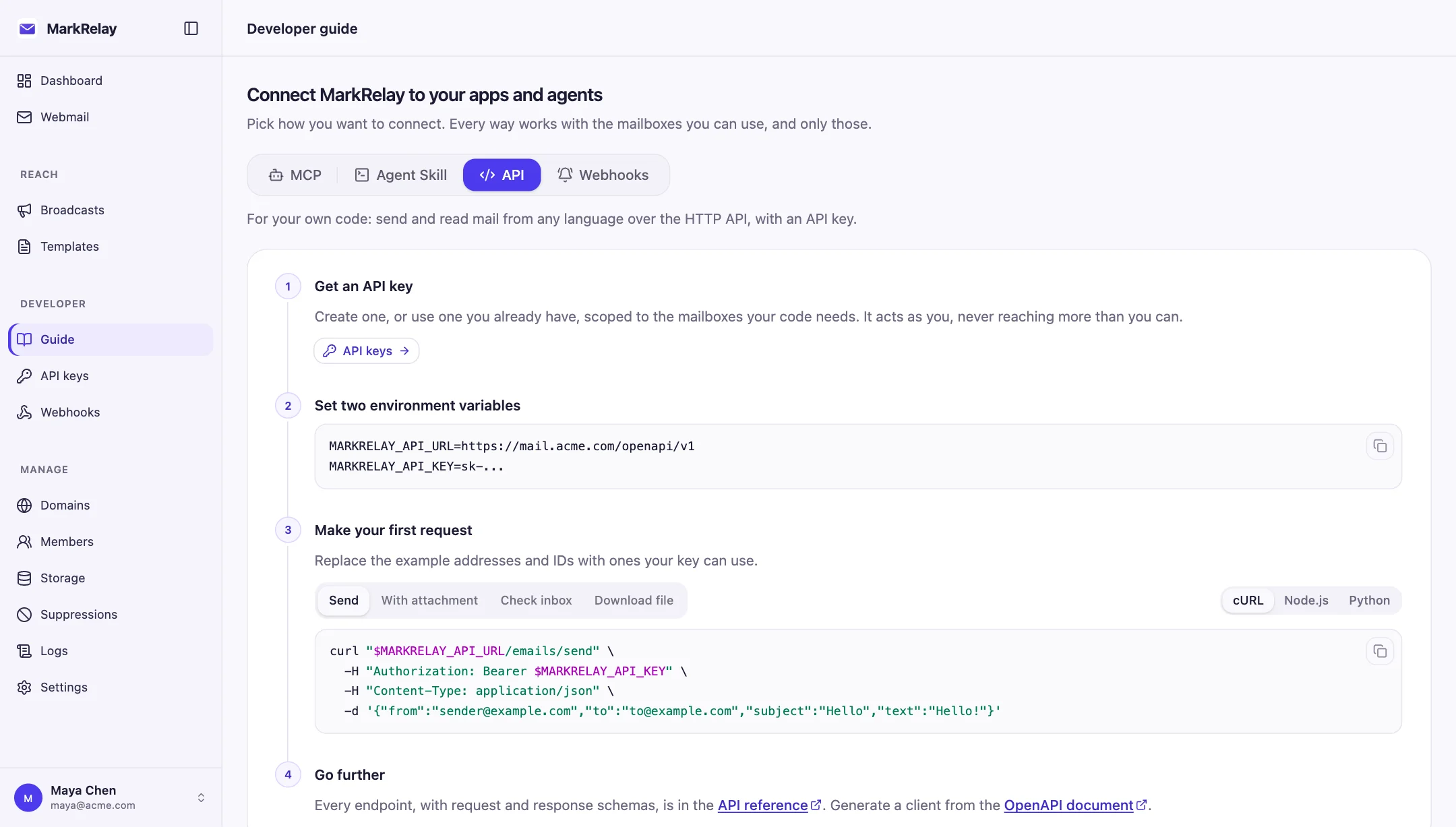
Create an API key
- Open Developer → API keys.
- Give the key a name that identifies the application using it.
- Choose follow-owner, one-domain, or selected-mailbox access.
- Copy the
sk-...key and store it securely.
Configure the connection
Set the URL to the complete versioned endpoint. Do not set it to only the deployment origin.
MARKRELAY_API_URL=https://<your-deployment>/openapi/v1
MARKRELAY_API_KEY=sk-...
Authorization: Bearer $MARKRELAY_API_KEYSend the key only in the Bearer authorization header. A key acts as its owner, further narrowed by its configured scope. Disabling the key or its owner immediately prevents it from authenticating.
Send an email
curl "$MARKRELAY_API_URL/emails/send" \
  -H "Authorization: Bearer $MARKRELAY_API_KEY" \
  -H "Content-Type: application/json" \
  -d '{
    "from": "Acme Support <support@acme.com>",
    "to": "customer@example.com",
    "subject": "Welcome, {{first_name}}!",
    "markdown": "## Hi {{first_name}}!\n\nThanks for joining us.",
    "variables": { "first_name": "Ada" }
  }'
Give exactly one of markdown, html, text, or templateId. Markdown is rendered to sanitized email HTML and also supplies the plain-text part; raw HTML is sent as-is. The to field is one address, while cc and bcc are arrays. A message can have at most 50 combined recipients, and its subject can have at most 998 characters.
Variables are flat strings, numbers, or booleans and work in the subject, preheader, text, and Markdown body—not raw HTML. Write a variable exactly as {{name}}: a letter, then letters, digits, or underscores, with no spaces inside the braces. Names are case-insensitive; write \{{name}} to show {{name}} itself.
MarkRelay supplies {{email}} from the recipient and {{unsubscribe_url}}, a one-click link that unsubscribes the recipient from this sender (using it also adds List-Unsubscribe headers). Don't pass email or unsubscribe_url in variables. Missing variables and suppressed recipients fail before sending.
Send a saved template
A template designed in the editor can be sent by ID. It supplies the subject, preheader and body; variables fill it in, with values escaped by the renderer, the same as a broadcast. Pass subject or preheader only to override the template's.
curl "$MARKRELAY_API_URL/emails/send" \
  -H "Authorization: Bearer $MARKRELAY_API_KEY" \
  -H "Content-Type: application/json" \
  -d '{
    "from": "Acme <hello@acme.com>",
    "to": "customer@example.com",
    "templateId": "tpl_...",
    "variables": { "name": "Ada", "action_url": "https://acme.com/start" }
  }'
GET /templates lists the templates the key's owner can use: their own and shared ones, or all of them for an admin. GET /templates/{templateId} returns the variables a send must supply and any defaults. A missing variable fails the request before sending, and a template outside the key's reach returns 404. Start from one of the free email templates and save it in the editor to get an ID.
Work with mailboxes
Start with GET /mailboxes to discover the addresses available to the key. The mailbox query parameter is required when listing email, and results are newest-first.
GET /emails?mailbox=support@example.com&folder=inbox&read=false&limit=25
GET /emails?mailbox=support@example.com&q=invoice&from=billing@example.com
GET /emails?mailbox=support@example.com&cursor=<nextCursor>
Optional filters are folder, q, from, subject, read, starred, dateFrom, and dateTo. The limit defaults to 25 and cannot exceed 100. Pass the opaque nextCursor back unchanged; a null cursor means pagination is complete.
Reply, forward, and organize
- Fetch message detail without changing its read state.
- Reply by email ID while MarkRelay determines the sender, recipients, subject, and threading.
replyAlldefaults to false. - Forward by email ID with a required recipient. The original body, subject, and attachments are reused when replacements are omitted.
- Mark messages read, star them, or move them between folders with PATCH.
- Move a message to
trashwhen it should remain recoverable. DELETE removes it permanently and returns no response body.
Attachments
Upload one non-empty file as multipart form data, then pass the returned ID in attachmentIds when sending, replying, or forwarding.
curl "$MARKRELAY_API_URL/attachments" \
  -H "Authorization: Bearer $MARKRELAY_API_KEY" \
  -F "file=@invoice.pdf"
{
"id": "550e8400-e29b-41d4-a716-446655440000",
"name": "invoice.pdf",
"contentType": "application/pdf",
"size": 248931,
"url": "https://<your-deployment>/cdn/attachments/..."
}Upload IDs are opaque and reusable across sends, replies, and forwards. Reusing an ID creates another email attachment without uploading or copying the underlying R2 file again. Each sent message exposes its own attachment ID in message detail; keep the original upload ID for later sends. The upload endpoint adds no application-level size cap, though the deployment's Cloudflare request and R2 limits still apply.
An email can embed at most 20 uploaded files with 3 MiB of combined raw attachment data; after MIME/Base64 encoding, the entire message must remain within Cloudflare's 5 MiB limit.
For a larger file, put the returned url in the message body instead of its ID in attachmentIds. The URL is public, unguessable, and does not currently expire automatically, so treat it as a bearer capability and do not use it for sensitive files without approval. Message detail also returns attachment IDs that can be downloaded with GET /attachments/{attachmentId}.
Responses and retries
Successful JSON operations return their result directly. Errors use a stable { "code": "...", "message": "...", "field": "..." } shape. DELETE returns HTTP 204 with no body, and attachment downloads return file bytes. Timestamps use ISO 8601; IDs and cursors are opaque.
Send, reply, and forward have no idempotency guarantee. Do not automatically retry an ambiguous timeout or transport error unless a duplicate email is acceptable.
Endpoints
| Method | Path | Purpose |
|---|---|---|
GET | /mailboxes | List available mailboxes |
GET | /emails | List or search email |
POST | /emails/send | Send an email, or a saved template |
GET | /templates | List saved templates the key can send with |
GET | /templates/{templateId} | Read a template and the variables it needs |
GET | /emails/{emailId} | Read an email |
PATCH | /emails/{emailId} | Update folder, read, or starred state |
DELETE | /emails/{emailId} | Delete an email |
POST | /emails/{emailId}/reply | Reply to a conversation |
POST | /emails/{emailId}/forward | Forward an email |
POST | /attachments | Upload one file and receive an ID and URL |
GET | /attachments/{attachmentId} | Download an uploaded or received file |
Every path in the table is relative to MARKRELAY_API_URL=https://<your-deployment>/openapi/v1.
Build inbound workflows
Pair the API with Inbound webhooks to react as soon as new mail arrives. Webhooks are configured in the web dashboard; this Open API does not expose webhook endpoints.