Broadcasts
Use Broadcasts for newsletters, product announcements, onboarding sequences, and customer updates. MarkRelay brings the message, recipient data, scheduling, and results into one guided workflow.
1. Create a draft
Start a new broadcast and configure:
- an internal campaign name;
- the sender mailbox and display name;
- an optional separate Reply-To address;
- open and click tracking preferences;
- immediate delivery or a future schedule.
2. Design the message
Begin with a blank message or load a reusable template. Add a subject, preheader, and responsive content with the visual editor. The broadcast keeps its own copy, so you can customize it without changing the source template.
3. Add recipients
Import a .csv or .xlsx file with an email column. Additional columns—such asfirst_name, company, or plan—can personalize the message. MarkRelay validates addresses, removes duplicates, and lets you review and edit rows before launch.
A single broadcast supports up to 100,000 recipients and 20 custom columns, imported from a .csv or .xlsx file of up to 10 MB.
4. Preview and test
- Preview desktop and mobile layouts.
- Check the subject and preheader.
- Review personalization with representative values.
- Send a test to your own inbox.
- Check links, images, reply behavior, and the unsubscribe experience.
5. Send or schedule
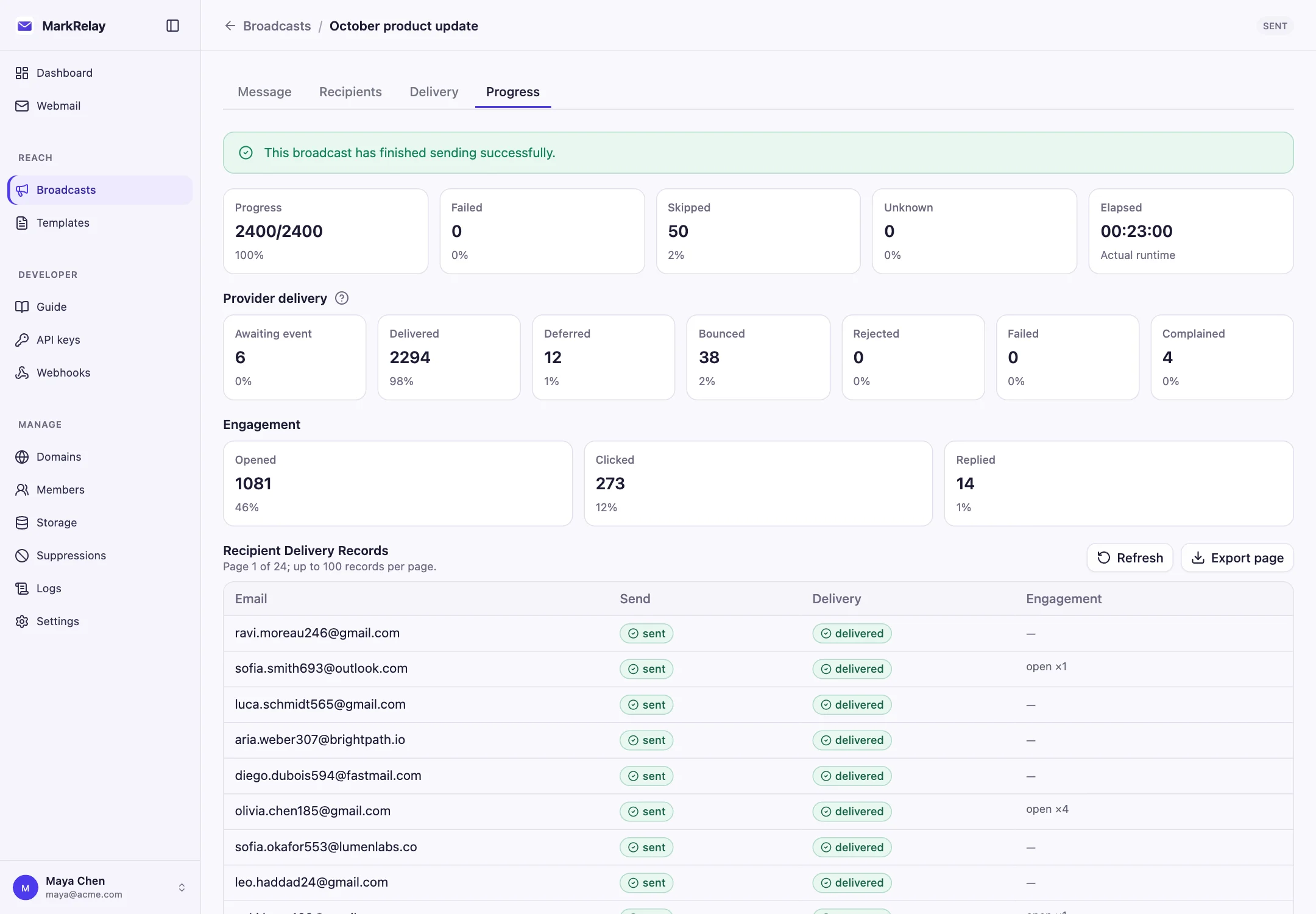
Launch immediately or choose a future time. The Broadcast list shows preparation and sending progress. You can pause, resume, or cancel an active campaign, and clone a completed campaign when you want to reuse its structure.
A recipient whose send fails is never sent the message again, since resending to an address that rejected mail harms your sending reputation. When Cloudflare's sending rate or daily limit is reached, nothing is lost: the campaign waits and continues on its own.
Understand results
| Result | What it helps you understand |
|---|---|
| Sent | Messages accepted for outbound sending |
| Opened | Recipients who loaded the tracking pixel |
| Clicked | Recipients who followed a tracked link |
| Replied | Replies connected back to the broadcast |
| Bounced | Recognized failed-delivery responses |
| Unsubscribed | Recipients who opted out from that sender |
Open metrics are directional because some mail clients block or prefetch tracking images. Use clicks, replies, and business outcomes alongside opens when evaluating a campaign.
Send responsibly
- Send only to recipients who expect your email.
- Keep sender authentication and domain reputation healthy.
- Use a recognizable sender and clear unsubscribe option.
- Review suppressions before each launch.
Related: Templates and Deliverability.