Newsletters and campaigns from your own domain
Send marketing campaigns, sales email, newsletters, and product announcements, with the unsubscribe and suppression tools that compliant bulk email needs built in.
In short
MarkRelay Broadcasts send marketing campaigns, sales email, newsletters and product announcements from your own domain through Cloudflare Email Sending. Design the email in the visual editor, import up to 100,000 recipients, schedule it, and follow delivery per recipient. One-click unsubscribe and a suppression list are built in, and MarkRelay charges nothing per contact or per message.
No MarkRelay per-message fee
Your only ongoing infrastructure charges come from your own Cloudflare account.
Recipient lists
Import and edit up to 100,000 deduplicated recipients, with custom columns for personalization.
One-click unsubscribe
Every broadcast carries List-Unsubscribe headers (RFC 8058) and an unsubscribe link, and the pre-send check warns when the footer has none.
Suppression list
Unsubscribes, hard bounces, and spam reports suppress the address automatically, admins can block addresses by hand, and suppressed recipients are skipped at launch.
Follow every broadcast as it sends
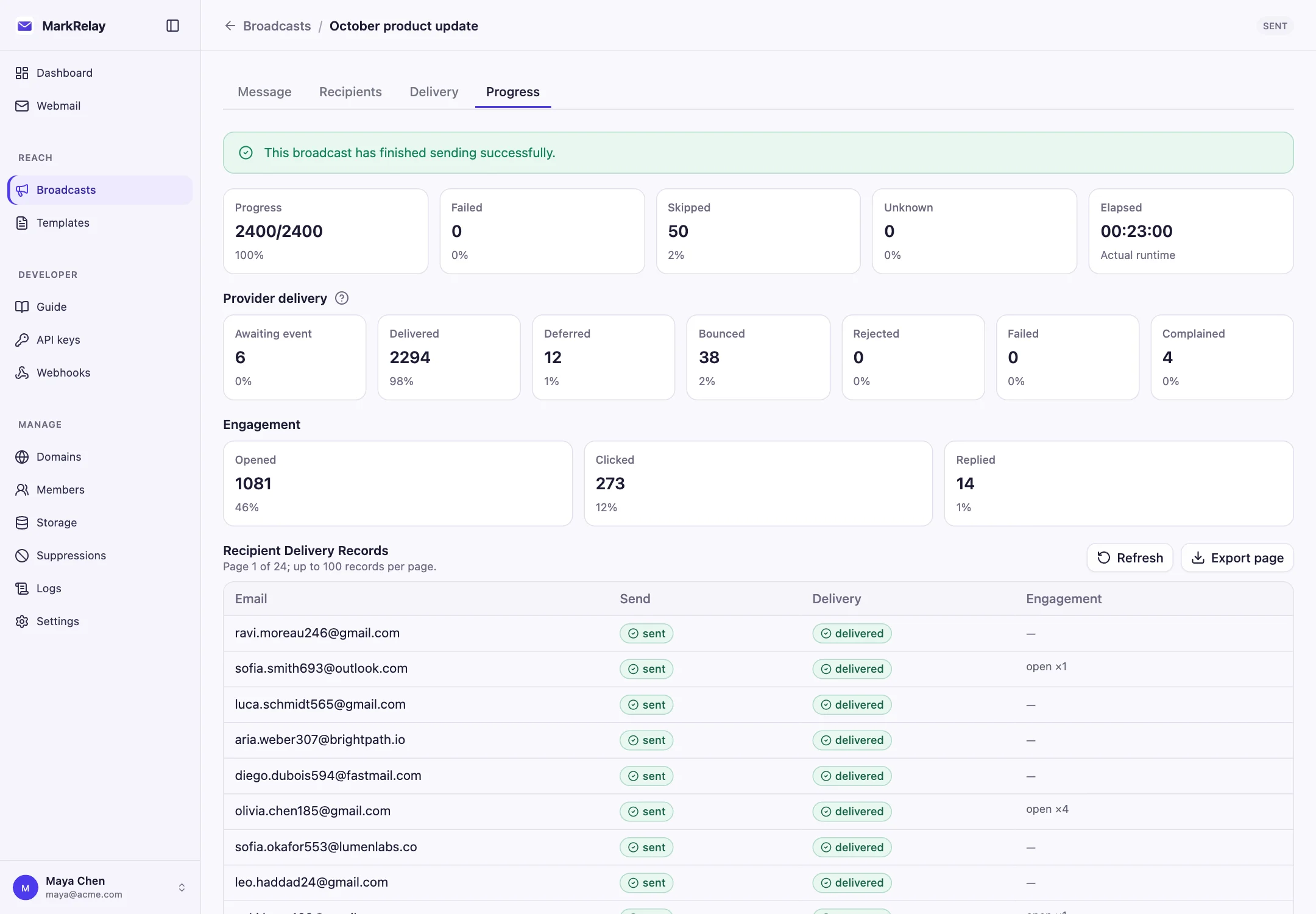
The Progress tab shows how far a send has got and what happened to each message after Cloudflare accepted it: delivered, deferred, bounced or complained, with opens and clicks per recipient. Export any page of results when you need them elsewhere.
Subscribe the domain's Email Sending events to the MarkRelay events queue to get delivery results; it is optional, and without it the Cloudflare dashboard still shows activity.
Design once, personalize for everyone
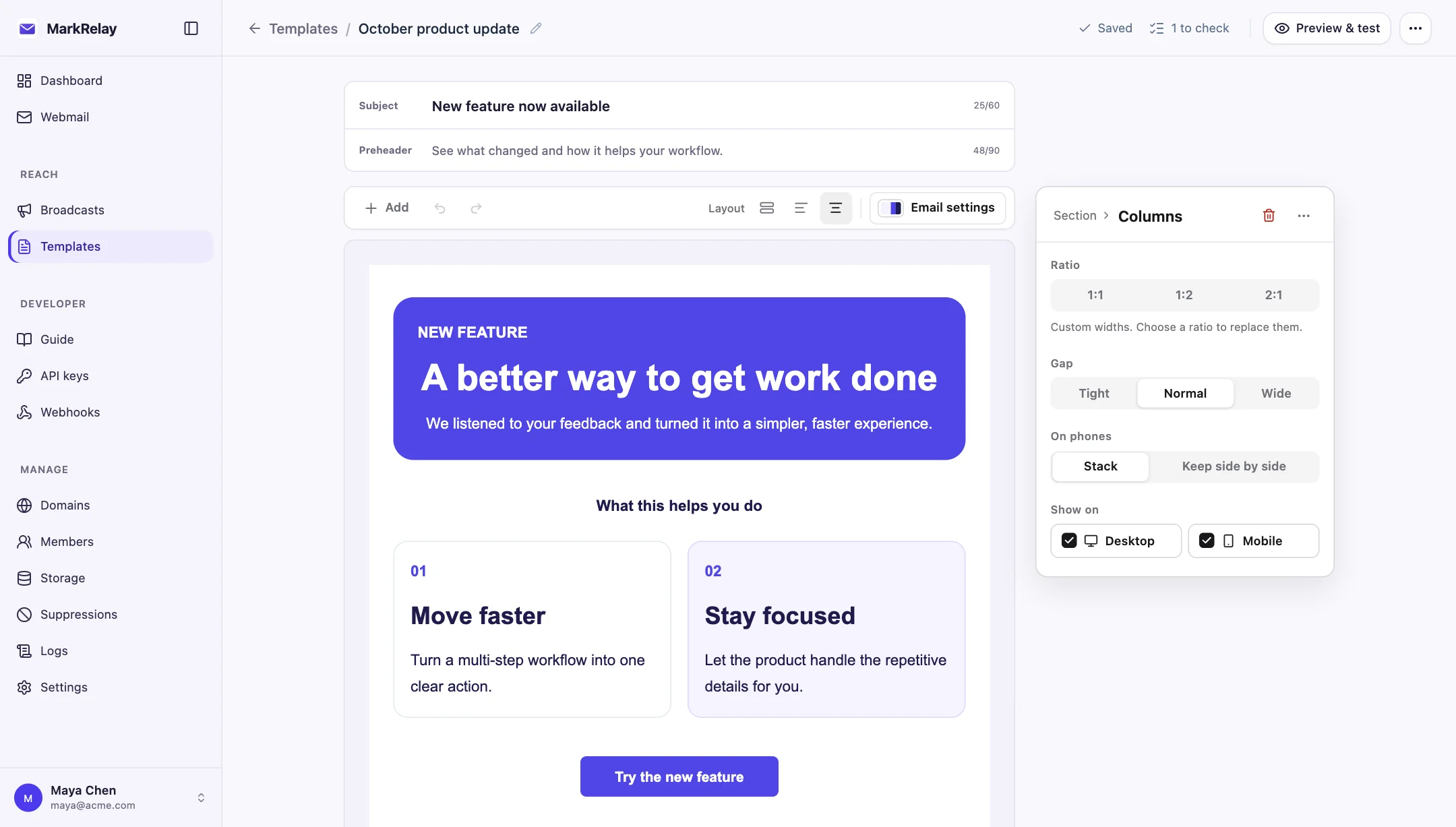
Build the email in the visual editor from sections, columns, text, images and buttons, and preview it on desktop and mobile. Start from a blank page, a starter design or a template your team shared.
Import recipients from a .csv or .xlsx file with an email column. Every other column, such as first_name or plan, becomes a variable you can drop into the subject and content, with a default for rows that leave it empty.
- Up to 100,000 recipients and 20 columns per broadcast
- Addresses validated and deduplicated on import
- Desktop and mobile preview
- Test sends to your own inbox
Schedule it, then let it run
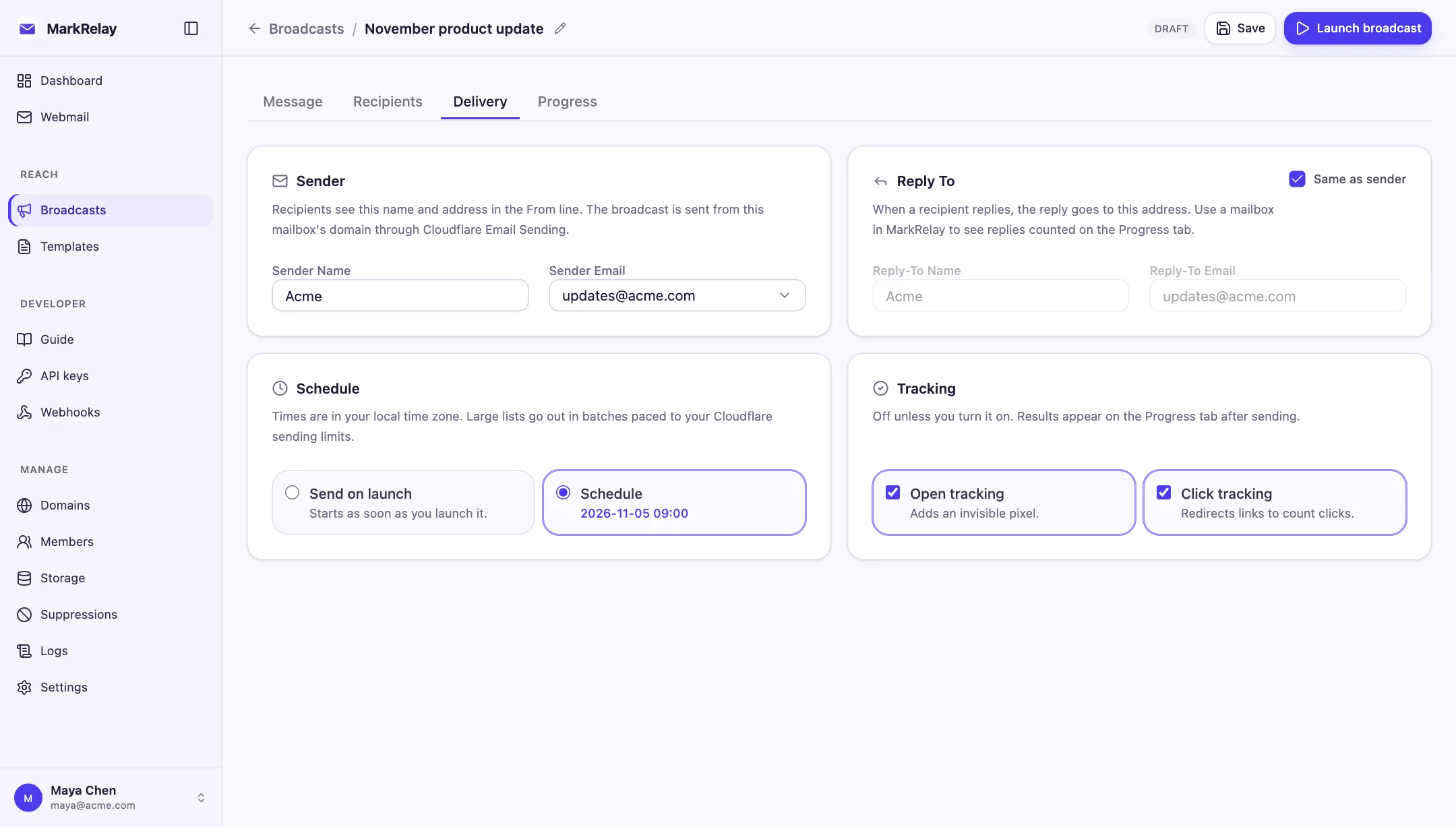
Pick the sender mailbox and display name, set a separate Reply-To if you want replies to go elsewhere, and choose open and click tracking. Send now or schedule a time.
A running broadcast can be paused, resumed or canceled. If Cloudflare's sending rate or daily limit is reached, the broadcast waits and continues on its own; nothing is lost, and an address that rejected mail is never tried again.
Unsubscribe and suppression, built in
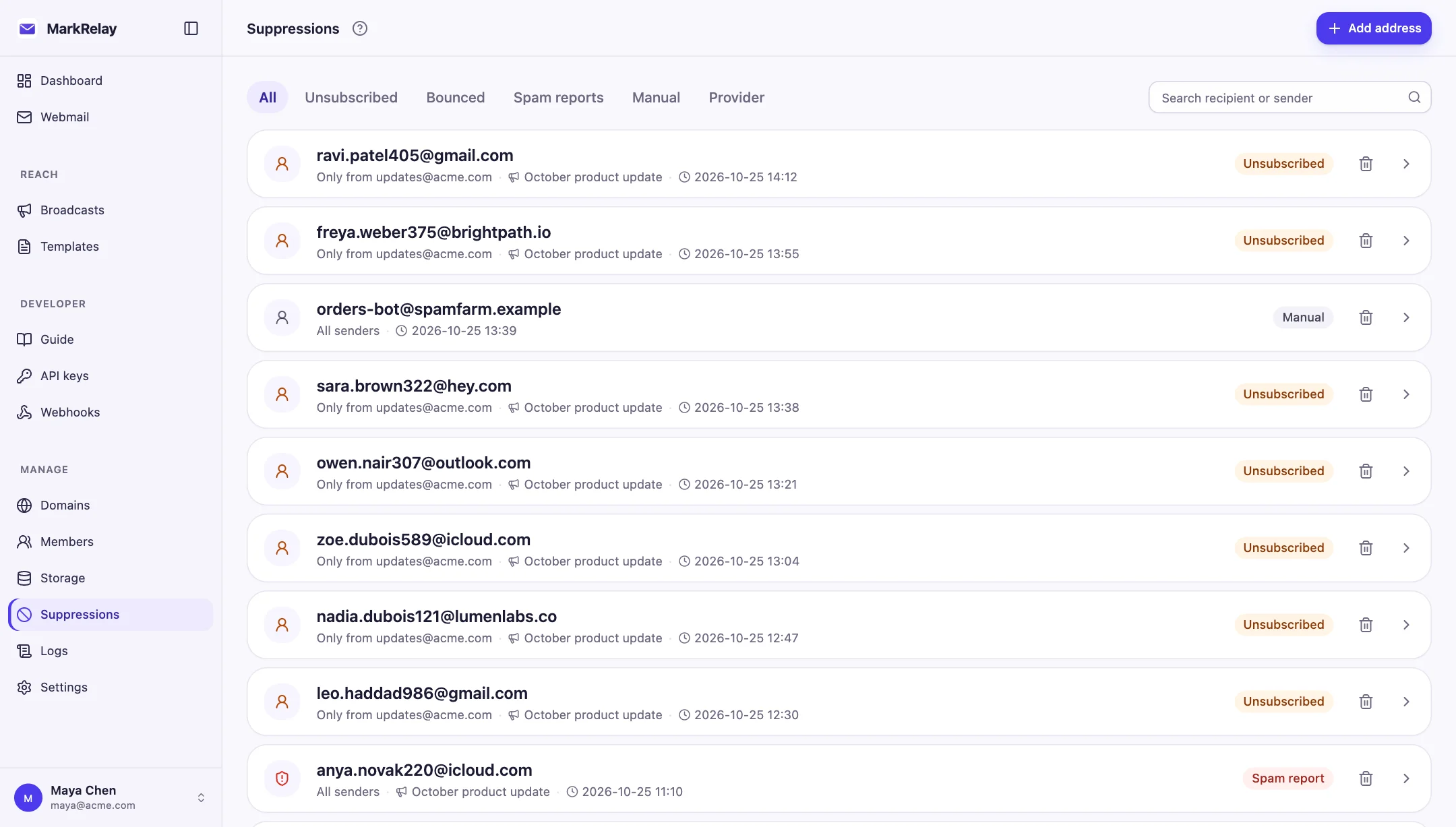
Every broadcast carries List-Unsubscribe and List-Unsubscribe-Post headers (RFC 8058), so Gmail, Yahoo and other inboxes show a one-click unsubscribe, plus an unsubscribe link in the footer; the pre-send check warns if the footer has none.
Unsubscribes, hard bounces and spam complaints go on the suppression list automatically, admins can block addresses by hand, and suppressed recipients are skipped when the broadcast launches. MarkRelay supplies these tools; you are responsible for consent and for following CAN-SPAM, GDPR and Cloudflare's Email Service terms.
What a newsletter costs
MarkRelay charges nothing per contact or per message. Cloudflare charges for sending: Workers Paid ($5/month) includes 3,000 sent emails a month, then $0.35 per 1,000; receiving through Email Routing is free. A monthly newsletter to 10,000 people comes to about $7.45 a month at Cloudflare, plus your license.
Common questions
How much does it cost to send a newsletter?
MarkRelay charges nothing per contact or per message. Cloudflare charges for sending: Workers Paid ($5/month) includes 3,000 sent emails a month, then $0.35 per 1,000; receiving through Email Routing is free. A newsletter to 10,000 people once a month comes to about $7.45 a month at Cloudflare.
Is unsubscribe handled for me?
Yes. Every broadcast carries List-Unsubscribe and List-Unsubscribe-Post headers (RFC 8058) for one-click unsubscribe in Gmail, Yahoo and other inboxes, plus an unsubscribe link, and the pre-send check warns when the footer has none. Unsubscribes, hard bounces and spam complaints go on the suppression list automatically.
Can I design the email visually?
Yes. The template editor builds responsive emails from sections and blocks, and variables such as {{first_name}} are filled from your recipient columns.
Who is responsible for compliance?
The sender. MarkRelay supplies the compliance tools; you are responsible for consent and for following CAN-SPAM, GDPR and Cloudflare's Email Service terms.
Go deeper
Explore more of MarkRelay
Use cases
Own your email stack today
Buy MarkRelay once and run it in your Cloudflare account. MarkRelay adds no per-message or per-seat charge; Cloudflare usage and service limits remain separate.