Send and receive from your own domain
It's a real mailbox, not just an outbound API. Receive, read, reply, and forward — keep every customer conversation organized in one place.
In short
Cloudflare Email Routing receives mail for your domain but cannot reply. MarkRelay turns each routed address into a real mailbox in your Cloudflare account: mail arrives through Email Routing, your team reads it in webmail, and replies go out through Cloudflare Email Sending from the same address, in the same thread.
Receive & store
Inbound email lands in your mailboxes and is stored in your own account.
Reply & forward
Respond to customers and forward threads without leaving the app.
Threaded conversations
Messages are grouped into threads so context never gets lost.
Organize with folders
Move, archive, and search across mailboxes to keep things tidy.
Why Email Routing alone is not an inbox
Cloudflare Email Routing receives mail for your domain and can forward it or hand it to a Worker, but it cannot send. Forward to Gmail and your replies leave from @gmail.com instead of the address the customer wrote to.
MarkRelay is the Worker that turns each routed address into a mailbox. Incoming mail is stored in your account, and replies go out through Cloudflare Email Sending from the same address, in the same thread.
How mail flows through your Cloudflare account
Cloudflare receives and sends. MarkRelay is the mailbox in between, running as your own Worker.
Receive
- Senderwrites to support@yourdomain.com
- Email RoutingCloudflare, free on any plan
- MarkRelay Workerfiles it in the mailbox
- Your D1 + R2messages and attachments
Reply
- Webmail or APIa teammate, an app or an agent
- MarkRelay Workerchecks mailbox access
- Email SendingCloudflare, in Workers Paid
- Recipientsees support@yourdomain.com
Reply from the address the mail was sent to
Reply, reply all and forward work the way you expect. The composer picks the right sender, keeps the original message quoted, and lets you switch to any other mailbox you are allowed to use. Format with the visual editor, add Cc and Bcc, and attach files.
Up to 20 attachments with 3 MiB combined travel with the message; larger files are sent as links. Drafts keep the sender, recipients, content and attachments, so you can come back later.
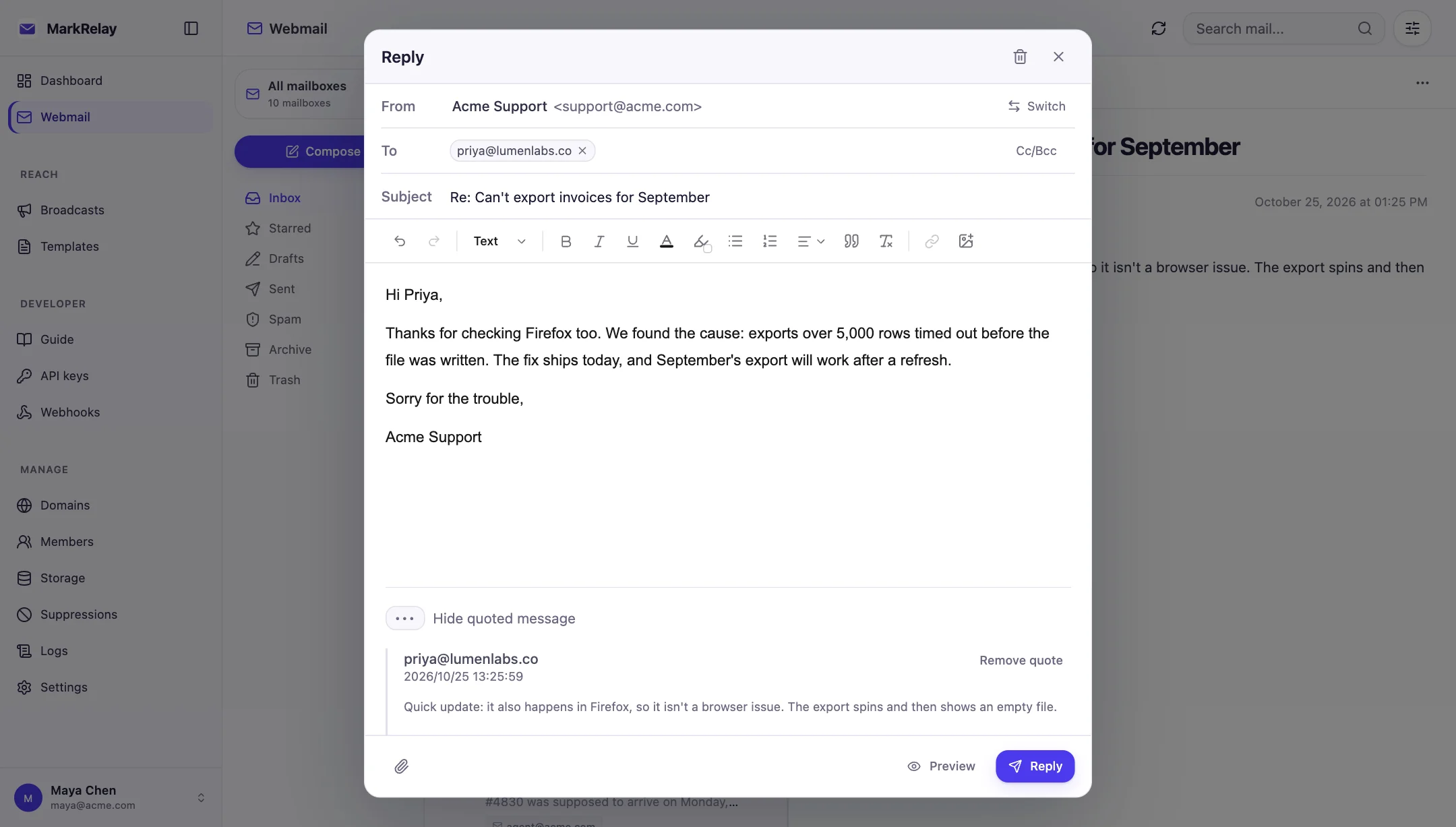
Organize mail like any good inbox
Inbox, Starred, Drafts, Sent, Spam, Archive and Trash keep work in order. Mark messages read or unread, star what matters, move mail between folders, and download attachments from the message view.
Mail your apps send through the API lands in the same mailboxes, so your team sees automated and human replies side by side.
- Seven standard folders
- Search by text, sender, subject, state and date
- Templates in the composer
- Threads across webmail and the API
Your mail stays in your Cloudflare account
Messages are stored in your own D1 database and attachments in your own R2 bucket. MarkRelay's servers never receive a copy, and there is no third-party mail host in between: Cloudflare delivers and receives, your Worker does the rest.
Common questions
Can I reply from a Cloudflare Email Routing address?
Not with Email Routing alone: it only receives and forwards. MarkRelay adds the sending side through Cloudflare Email Sending, so replies come from the same address and stay in the same conversation.
Do I still need Gmail or Outlook?
No. MarkRelay is the inbox: read, reply, forward, search and organize mail in its webmail, while your apps use the same mailboxes over its HTTP API.
What does sending need?
Your Cloudflare account on the Workers Paid plan, which includes Cloudflare Email Sending. Workers Paid ($5/month) includes 3,000 sent emails a month, then $0.35 per 1,000; receiving through Email Routing is free.
Where are my messages stored?
In your own Cloudflare D1 database and R2 bucket. Messages and attachments never pass through MarkRelay's servers.
Go deeper
Explore more of MarkRelay
Use cases
Own your email stack today
Buy MarkRelay once and run it in your Cloudflare account. MarkRelay adds no per-message or per-seat charge; Cloudflare usage and service limits remain separate.