Team email with per-mailbox permissions
Invite teammates and control exactly which domains and mailboxes each can access. Clear roles, clean boundaries — no guesswork.
In short
MarkRelay gives your team one webmail for every company address, with access granted mailbox by mailbox. Support sees support@, sales sees sales@, administrators see everything, and API keys and webhooks never reach more than their owner can. In Cloudflare's agentic-inbox, by contrast, anyone who passes its Access policy can open every mailbox.
Invite your team
Bring colleagues into the app and collaborate on shared mailboxes.
Scoped access
Grant access per domain or mailbox — people see only what they should.
Admin and member boundaries
Administrators manage the deployment while members work only in granted scopes.
Stay in control
Add or revoke access at any time as your team changes.
Everyone sees only their mailboxes
Access is granted mailbox by mailbox. Support works in support@, sales in sales@, and a contractor can be given one address on one brand. Mailboxes someone was not given never appear for them: not in webmail, not in search, not through the API.
Administrators run the deployment and can open every mailbox.
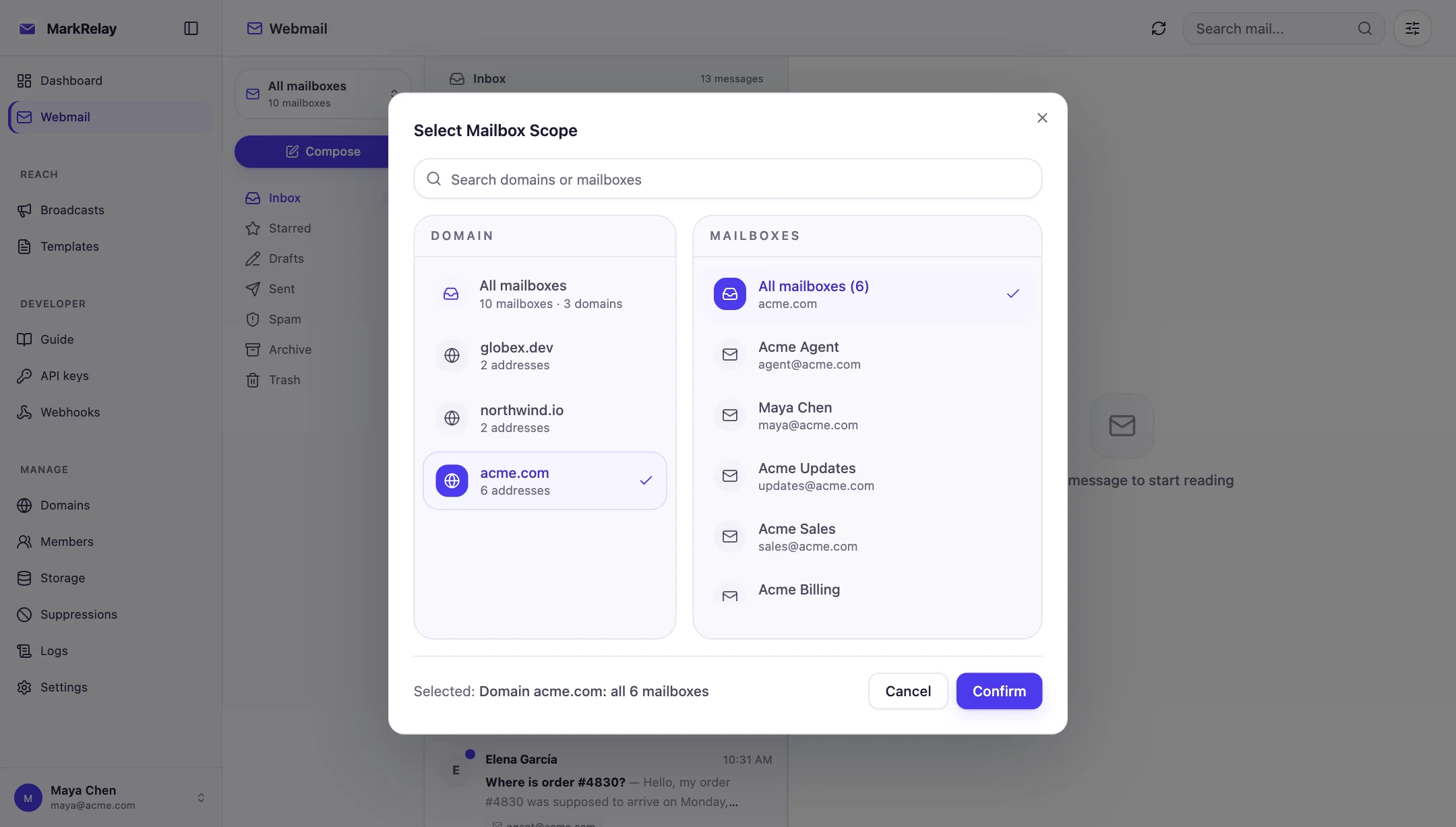
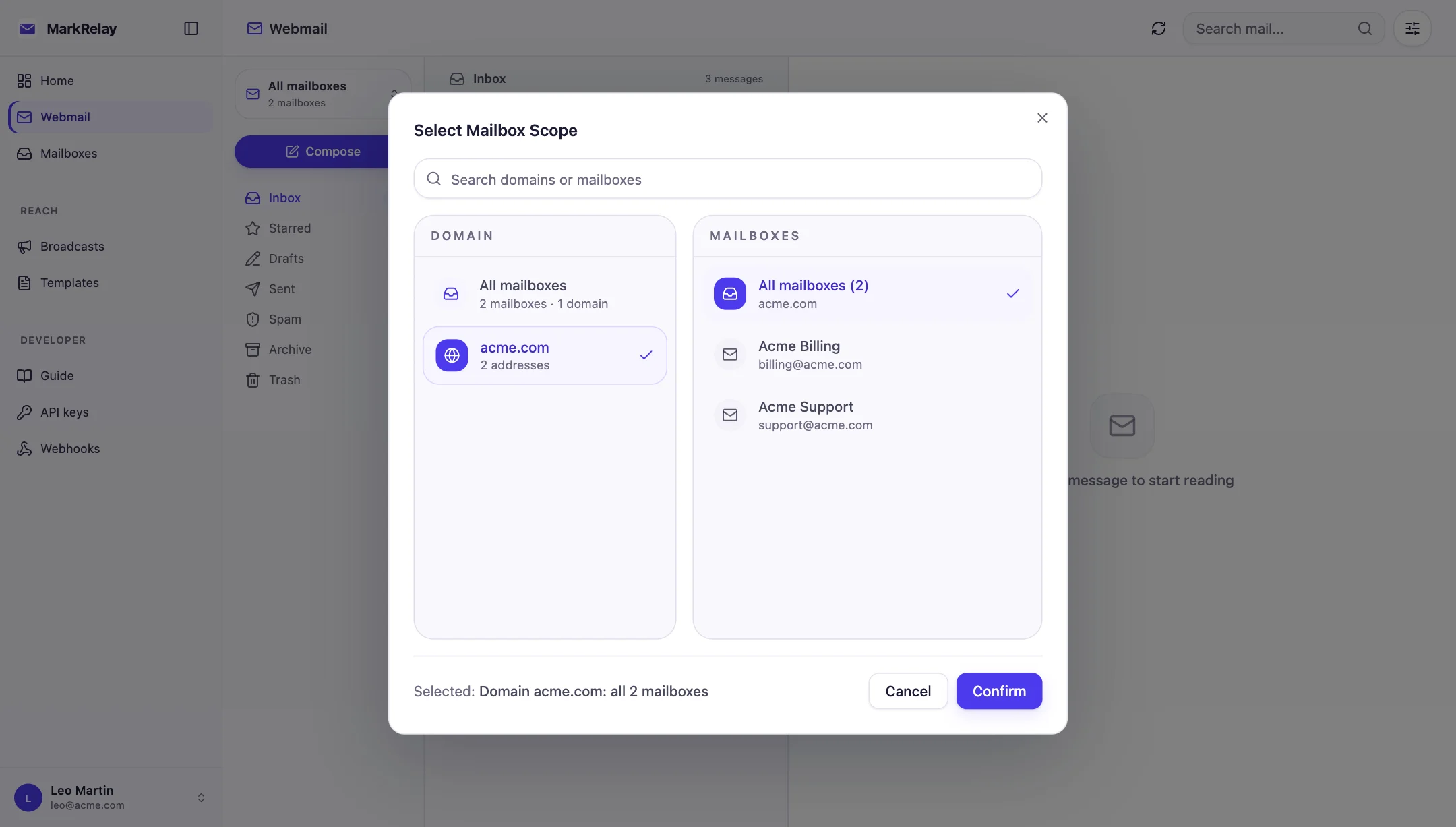
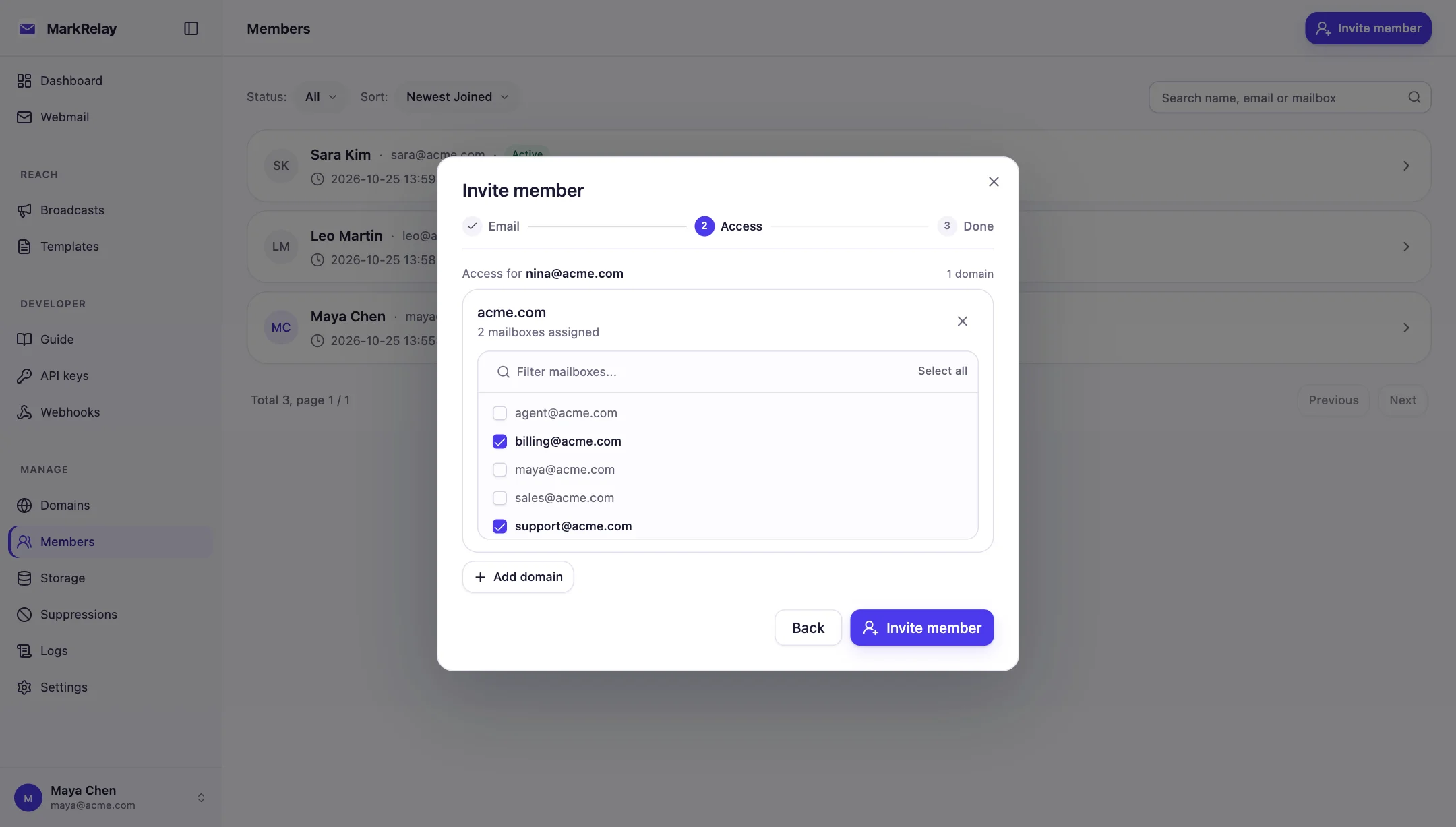
Invite and grant in one step
Enter a teammate's email, pick their mailboxes, and share the invitation link. It stays valid for seven days; the teammate sets a password and lands in their inbox.
Change access later from the member's page, or start from a mailbox and see everyone who can use it.
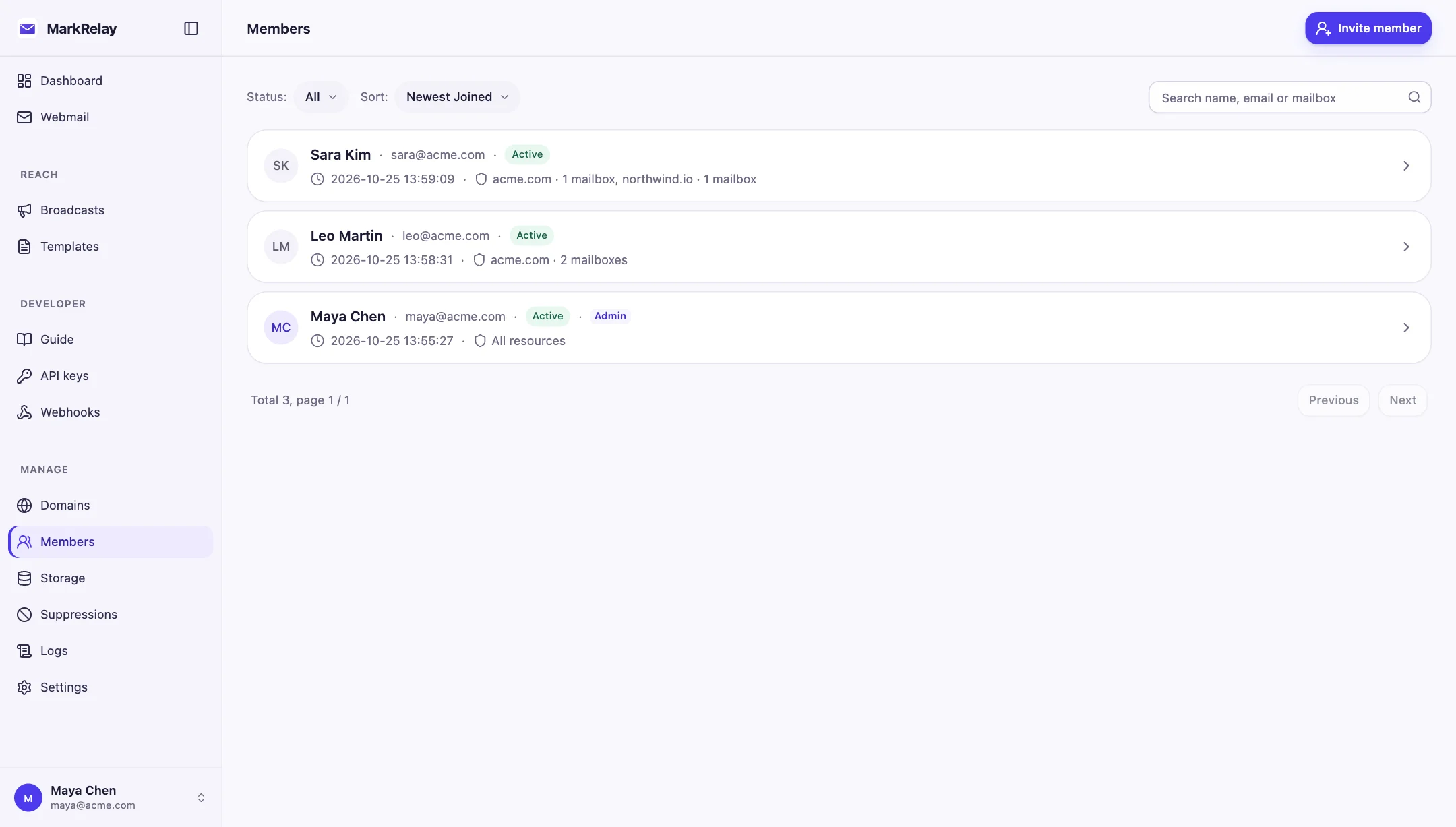
See who can use what
The Members list shows each person's role and grants at a glance, so questions like “who can read billing@?” take seconds. Disable someone to stop access at once, or remove single mailboxes as roles change.
Keys and webhooks follow their owner
Members can create their own API keys and webhooks, limited to the mailboxes they already have. A key's reach is its owner's access narrowed to the scope chosen for it, so taking a mailbox away from someone takes it away from their integrations too.
Keys and webhooks never exceed their owner
What a key reaches = what its owner can open ∩ the scope chosen for it. Remove Leo's access and his keys lose it too.
Leo can open
Key scope Leo picked
The key can reach
No seat count to manage
Invite as many people as you need. One license covers the whole Cloudflare account, with no per-seat or per-mailbox fee.
Common questions
Can each team member see only their own mailboxes?
Yes. Members see only the mailboxes granted to them, in webmail and in the API. Administrators manage the deployment and can open every mailbox.
How do I invite a teammate?
An administrator enters the teammate's email, picks their mailboxes and shares the invitation link, which stays valid for seven days. The teammate sets a password and signs in.
Who can give someone access to a mailbox?
Only administrators. They invite members, grant and remove mailboxes, and turn a mailbox's own sign-in on or off. Members can rename the mailboxes granted to them, turn them off and on, and see who else can use them.
What happens to API keys when someone's access changes?
A key or webhook can only reach what its owner can open, so removing a mailbox from a person removes it from their keys and webhooks at once. Disable the member to stop all access.
Is there a per-seat fee?
No. Invite as many people as you need; one license covers the whole Cloudflare account.
Go deeper
Explore more of MarkRelay
Use cases
Own your email stack today
Buy MarkRelay once and run it in your Cloudflare account. MarkRelay adds no per-message or per-seat charge; Cloudflare usage and service limits remain separate.