Email to webhook, on your own domain
Every email sent to an address on your domain becomes a signed JSON POST to your endpoint: parsed sender, subject, text, HTML, headers and attachments, with no server and no polling.
Facts checked
In short
MarkRelay turns every email sent to an address on your domain into a signed HTTP POST. Cloudflare Email Routing receives the message, MarkRelay parses and stores it in your own Cloudflare account, and an email.received event with the sender, recipients, subject, text, HTML, headers and attachment list goes to your endpoint, signed with HMAC-SHA256. Use it to feed n8n, Zapier, Make, a ticketing system or an AI agent, then reply from the same address over the API.
What the webhook does, line by line
| Item | MarkRelay |
|---|---|
| Trigger | Every new message in the mailboxes the webhook covers |
| Event | email.received (plus webhook.test from the dashboard) |
| Payload | JSON: id, mailbox, from, to, cc, replyTo, subject, text, html, headers, messageId, inReplyTo, references, threadId, attachments |
| Attachments | Name, type and size in the payload; download with GET /attachments/{id} |
| Signature | HMAC-SHA256 of timestamp + "." + raw body, in X-MarkRelay-Signature |
| Delivery | At least once; 10-second timeout; retried up to 3 times |
| Failing endpoints | Paused after 20 failures in a row; re-enable after a passing test |
| Scope | Its owner's access, one domain, or selected mailboxes |
| Team chats | Or post a short notice to Slack, Discord, Microsoft Teams, Google Chat, Telegram, Feishu/Lark, DingTalk or WeCom |
| Endpoint | Public HTTP or HTTPS URL; redirects and private addresses are refused |
| Reply from the workflow | POST /emails/{id}/reply with an API key |
| Price | No per-event fee; receiving through Email Routing is free |
| Needs | A domain on Cloudflare DNS (Free plan works) |
Trigger
- MarkRelay
- Every new message in the mailboxes the webhook covers
Event
- MarkRelay
- email.received (plus webhook.test from the dashboard)
Payload
- MarkRelay
- JSON: id, mailbox, from, to, cc, replyTo, subject, text, html, headers, messageId, inReplyTo, references, threadId, attachments
Attachments
- MarkRelay
- Name, type and size in the payload; download with GET /attachments/{id}
Signature
- MarkRelay
- HMAC-SHA256 of timestamp + "." + raw body, in X-MarkRelay-Signature
Delivery
- MarkRelay
- At least once; 10-second timeout; retried up to 3 times
Failing endpoints
- MarkRelay
- Paused after 20 failures in a row; re-enable after a passing test
Scope
- MarkRelay
- Its owner's access, one domain, or selected mailboxes
Team chats
- MarkRelay
- Or post a short notice to Slack, Discord, Microsoft Teams, Google Chat, Telegram, Feishu/Lark, DingTalk or WeCom
Endpoint
- MarkRelay
- Public HTTP or HTTPS URL; redirects and private addresses are refused
Reply from the workflow
- MarkRelay
- POST /emails/{id}/reply with an API key
Price
- MarkRelay
- No per-event fee; receiving through Email Routing is free
Needs
- MarkRelay
- A domain on Cloudflare DNS (Free plan works)
Parsed JSON
Sender, recipients, subject, text, HTML, headers and attachments.
Signed
HMAC-SHA256 over the timestamp and raw body.
Retried
At-least-once delivery, with a log in the dashboard.
Scoped
Each webhook covers only the mailboxes you choose.
How a message becomes a webhook
Cloudflare Email Routing hands each incoming message to the MarkRelay Worker in your account. MarkRelay parses it, stores the message in D1 and attachments in R2, and queues one delivery for every webhook that covers that mailbox.
The payload is built when it is delivered, signed, and POSTed to your endpoint. Return any 2xx status to acknowledge it; anything else is retried.
How mail flows through your Cloudflare account
Cloudflare receives and sends. MarkRelay is the mailbox in between, running as your own Worker.
Receive
- Senderwrites to support@yourdomain.com
- Email RoutingCloudflare, free on any plan
- MarkRelay Workerfiles it in the mailbox
- Your D1 + R2messages and attachments
Reply
- Webmail or APIa teammate, an app or an agent
- MarkRelay Workerchecks mailbox access
- Email SendingCloudflare, in Workers Paid
- Recipientsees support@yourdomain.com
Verify every request
Each request carries X-MarkRelay-Event, X-MarkRelay-Webhook-Id, X-MarkRelay-Timestamp and X-MarkRelay-Signature. The signature is sha256= followed by the hex HMAC-SHA256 of the timestamp, a dot, and the exact raw body, keyed with the webhook's whsec_ secret.
Check it before parsing, reject old timestamps, and use the email id to ignore a delivery you have already processed.
- Signed with a per-webhook secret
- Replay window under your control
- Dedupe on the email id
- Send test from the dashboard
Plug it into the tools you use
Any tool that accepts an incoming webhook can take MarkRelay's events: n8n's Webhook node, Webhooks by Zapier, Make's custom webhook, or your own Worker. Each step-by-step guide below covers receiving the event, checking the signature and replying.
- n8n: Webhook node + Crypto node
- Zapier: Catch Raw Hook + Code step
- Make: custom webhook + sha256()
- Your code: a few lines of Web Crypto
Scope each webhook to the mail it should see
A webhook can follow its owner's access, cover one domain, or include only selected mailboxes, so the workflow for orders@ never sees mail for hr@. If the owner loses access to a mailbox, the webhook stops receiving its mail at once.
What your endpoint receives
{
  "event": "email.received",
  "webhookId": "wh_...",
  "timestamp": "2026-10-17T09:30:00.000Z",
  "data": {
    "id": "em_...",
    "mailbox": "orders@acme.com",
    "folder": "inbox",
    "direction": "incoming",
    "from": { "name": "Dana Lee", "address": "dana@example.com" },
    "to": [{ "name": null, "address": "orders@acme.com" }],
    "cc": [], "replyTo": [],
    "subject": "PO 4471 attached",
    "snippet": "Hi, please find the purchase order…",
    "text": "Hi, please find the purchase order attached.",
    "html": "<p>Hi, please find the purchase order attached.</p>",
    "headers": { "message-id": "<…@example.com>", "...": "..." },
    "messageId": "<…@example.com>",
    "inReplyTo": null,
    "references": [],
    "threadId": "th_...",
    "receivedAt": "2026-10-17T09:29:58.000Z",
    "attachments": [
      { "id": "att_...", "fileName": "PO-4471.pdf", "contentType": "application/pdf", "size": 48213, "disposition": "attachment" }
    ]
  }
}
Verify the signature
// A Cloudflare Worker (or any fetch handler) that receives MarkRelay's
// email.received event and checks its signature before trusting it.
export default {
  async fetch(request: Request, env: { MARKRELAY_WEBHOOK_SECRET: string }) {
    const body = await request.text(); // the exact raw body
    const timestamp = request.headers.get("X-MarkRelay-Timestamp") ?? "";
    const signature = (request.headers.get("X-MarkRelay-Signature") ?? "").replace(/^sha256=/, "");

    const key = await crypto.subtle.importKey(
      "raw",
      new TextEncoder().encode(env.MARKRELAY_WEBHOOK_SECRET), // whsec_...
      { name: "HMAC", hash: "SHA-256" },
      false,
      ["verify"],
    );
    const bytes = new Uint8Array((signature.match(/../g) ?? []).map((hex) => parseInt(hex, 16)));
    const valid = await crypto.subtle.verify("HMAC", key, bytes, new TextEncoder().encode(`${timestamp}.${body}`));
    if (!valid) return new Response("invalid signature", { status: 401 });

    const { event, data } = JSON.parse(body);
    // data: { id, mailbox, from, to, cc, subject, text, html, headers, attachments, ... }
    console.log(event, data.mailbox, data.from.address, data.subject);
    return new Response("ok"); // any 2xx counts as delivered
  },
};
Common questions
How do I forward email to a webhook?
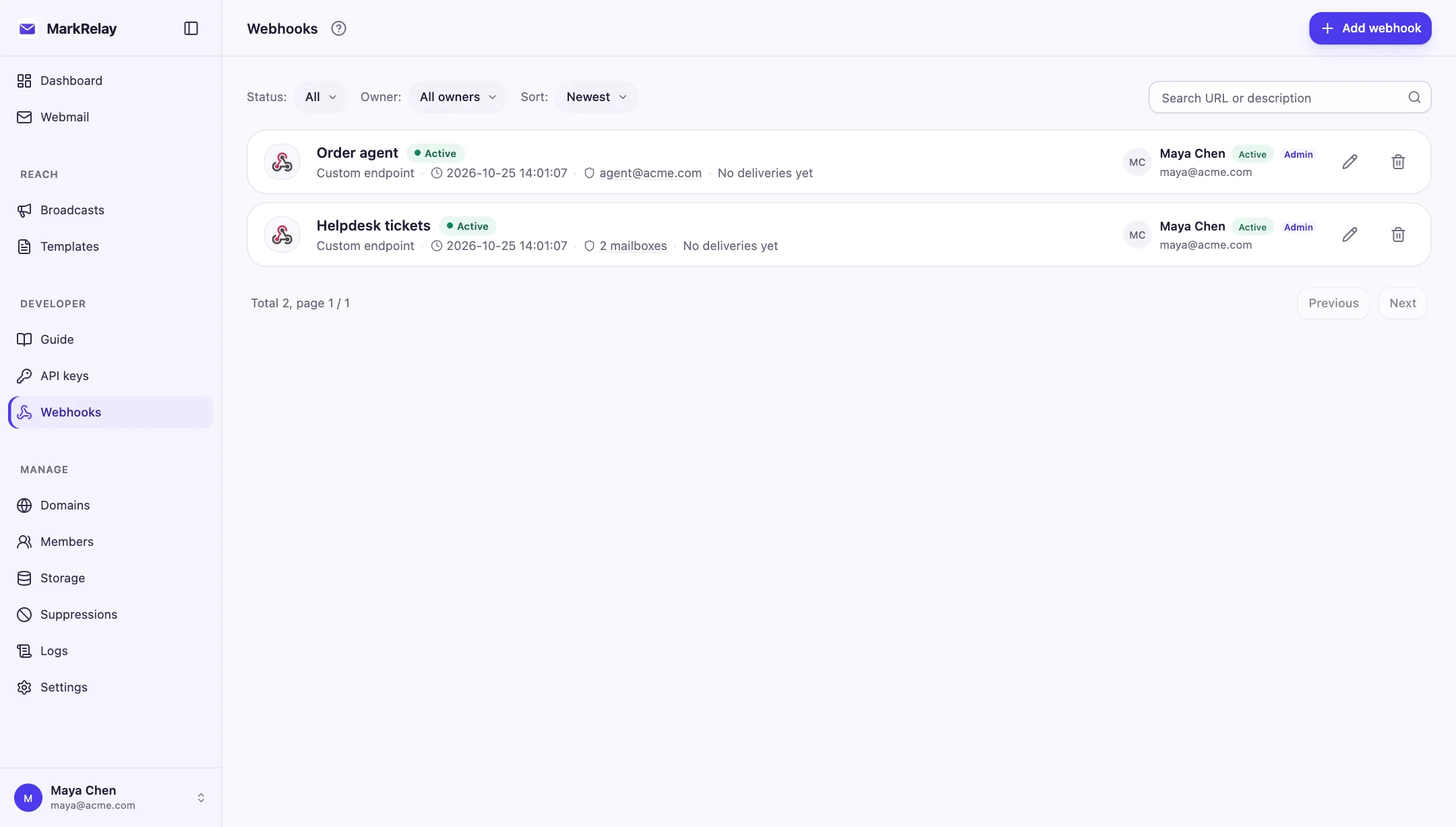
Point the address's Cloudflare Email Routing rule at the MarkRelay Worker, then add a webhook in Developer → Webhooks, choose Custom endpoint and paste your endpoint URL. Every new message then arrives at your endpoint as a signed email.received POST with the parsed message.
Does the payload include the email body and attachments?
It includes the text and HTML bodies, all headers, and each attachment's id, name, type and size. Download attachment files with GET /attachments/{id} using an API key.
What happens if my endpoint is down?
Delivery is retried up to 3 times. After 20 failures in a row the webhook is paused; fix the endpoint, send a test from the dashboard and turn it back on. Recent results are listed in the dashboard.
Can new email go straight to Slack or another team chat?
Yes. Choose Slack, Discord, Microsoft Teams, Google Chat, Telegram, Feishu/Lark, DingTalk or WeCom as the destination and paste the platform's incoming-webhook URL. Each new email is posted with its sender, mailbox, subject and a short preview, and Feishu/Lark and DingTalk bots with signature verification are signed the platform's way.
Can I use it with n8n, Zapier or Make?
Yes. Each accepts incoming webhooks: n8n's Webhook node, Webhooks by Zapier's Catch Raw Hook, and Make's custom webhook. The guides show how to check the signature and reply from the workflow.
How is this different from an email parser service?
The mailbox is yours: it runs on your own domain in your own Cloudflare account, keeps every message so people can read it in webmail, and lets the workflow reply from the same address. There is no per-email fee from MarkRelay.
Go deeper
Explore more of MarkRelay
Use cases
Own your email stack today
Buy MarkRelay once and run it in your Cloudflare account. MarkRelay adds no per-message or per-seat charge; Cloudflare usage and service limits remain separate.