An email API that sends and receives
A small, versioned HTTP API for sending, listing, reading, replying, forwarding, and transferring attachments — hosted on your deployment.
In short
MarkRelay's email API runs on your own deployment in Cloudflare and works in both directions: send, list, read, reply, forward and transfer attachments over plain HTTP, and get a signed webhook the moment mail arrives. Keys are personal and can be limited to one domain or a few mailboxes. MarkRelay adds no per-message fee.
Plain HTTP, no SDK
Any language that can make an HTTP request can send email.
Send & receive
The same simple API covers outbound and reading your inbox.
Simple auth
Personal `sk-` API keys with simple Bearer authentication.
Runs on your domain
No third-party endpoint — the API lives on your Cloudflare.
Everything a mailbox can do, over HTTP
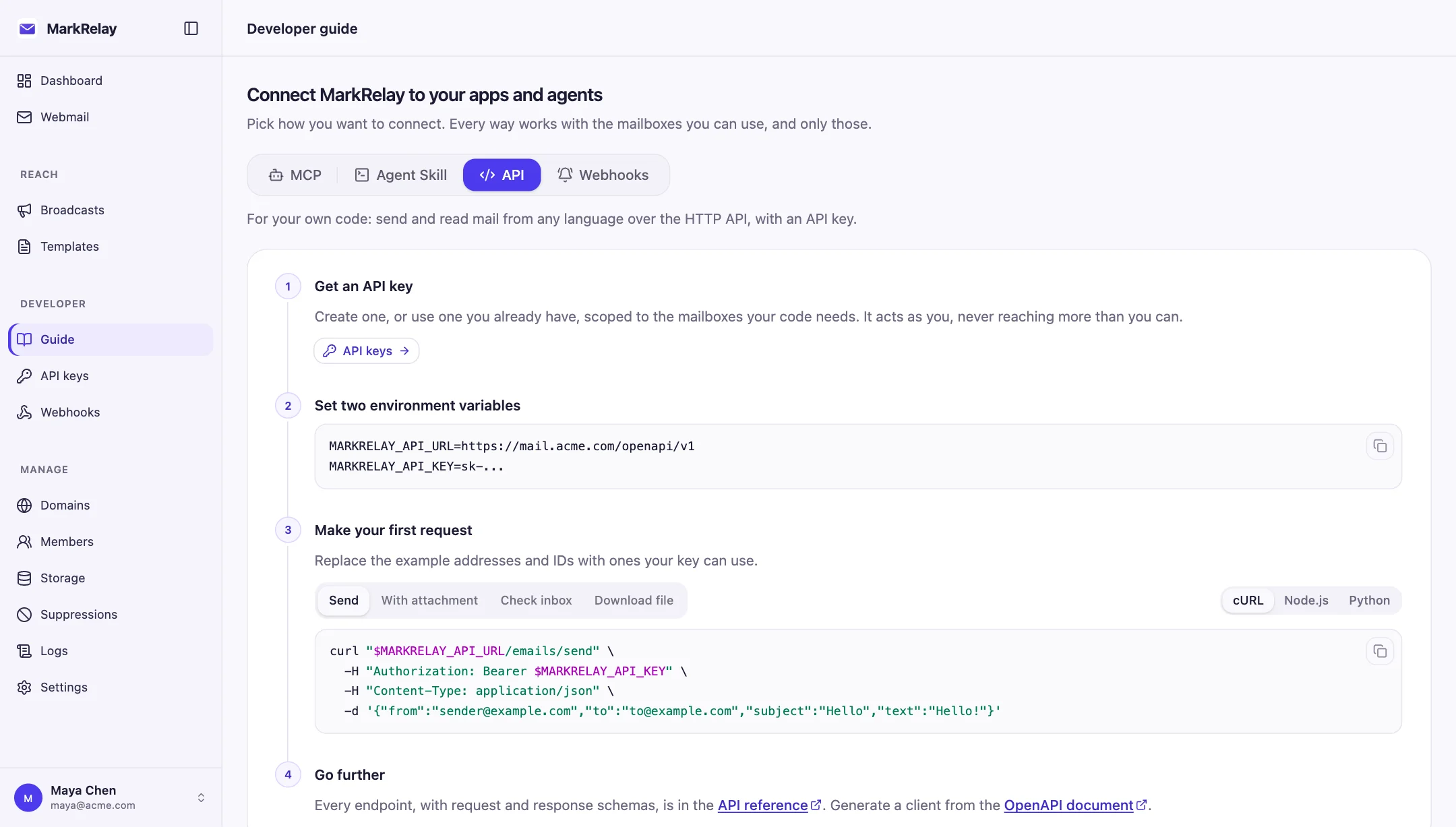
The API is served by your own deployment, so mail never passes through a third-party endpoint. Any language that can make an HTTPS request can use it: there is no SDK to install.
Each deployment's Developer page shows its exact API URL and ready-to-run examples in cURL, Node.js and Python, and links to its OpenAPI 3.1 document and interactive docs.
- GET /mailboxes: the addresses a key can use
- GET /emails: search and page through a mailbox
- POST /emails/send: send with attachments
- POST /emails/{id}/reply and /forward
- PATCH /emails/{id}: read state and folder
- POST /attachments: upload once, reuse
Keys that reach only what they should
Keys are personal and can follow their owner's access, cover one domain, or reach only selected mailboxes. Whatever the scope, a key never reaches more than its owner can open, and other mailboxes simply do not exist for it.
# The agent's key was created for agent@acme.com only$curl -H "Authorization: Bearer $MARKRELAY_API_KEY" "$MARKRELAY_API_URL/mailboxes"{"items":[{"id":"mb_agent","address":"agent@acme.com","displayName":"Acme Triage Agent"}]}# Another team's mailbox is invisible to it$curl -H "Authorization: Bearer $MARKRELAY_API_KEY" "$MARKRELAY_API_URL/emails?mailbox=support@acme.com"{"code":"not_found","message":"Mailbox not found"}# Its own mail: read, then reply in the same thread$curl -H "Authorization: Bearer $MARKRELAY_API_KEY" "$MARKRELAY_API_URL/emails?mailbox=agent@acme.com&folder=inbox"{"items":[{"id":"b68419a2-…","subject":"Reset my password please","from":{"name":"Sam Patel",…}}, …]}$curl -X POST -H "Authorization: Bearer $MARKRELAY_API_KEY" -H "Content-Type: application/json" \
  "$MARKRELAY_API_URL/emails/b68419a2-…/reply" -d '{"text":"Hi Sam, I have sent a fresh reset link…"}'{"id":"528a8469-74ee-4dc4-8023-0d3882699ad2"}
Inbound email as signed webhooks
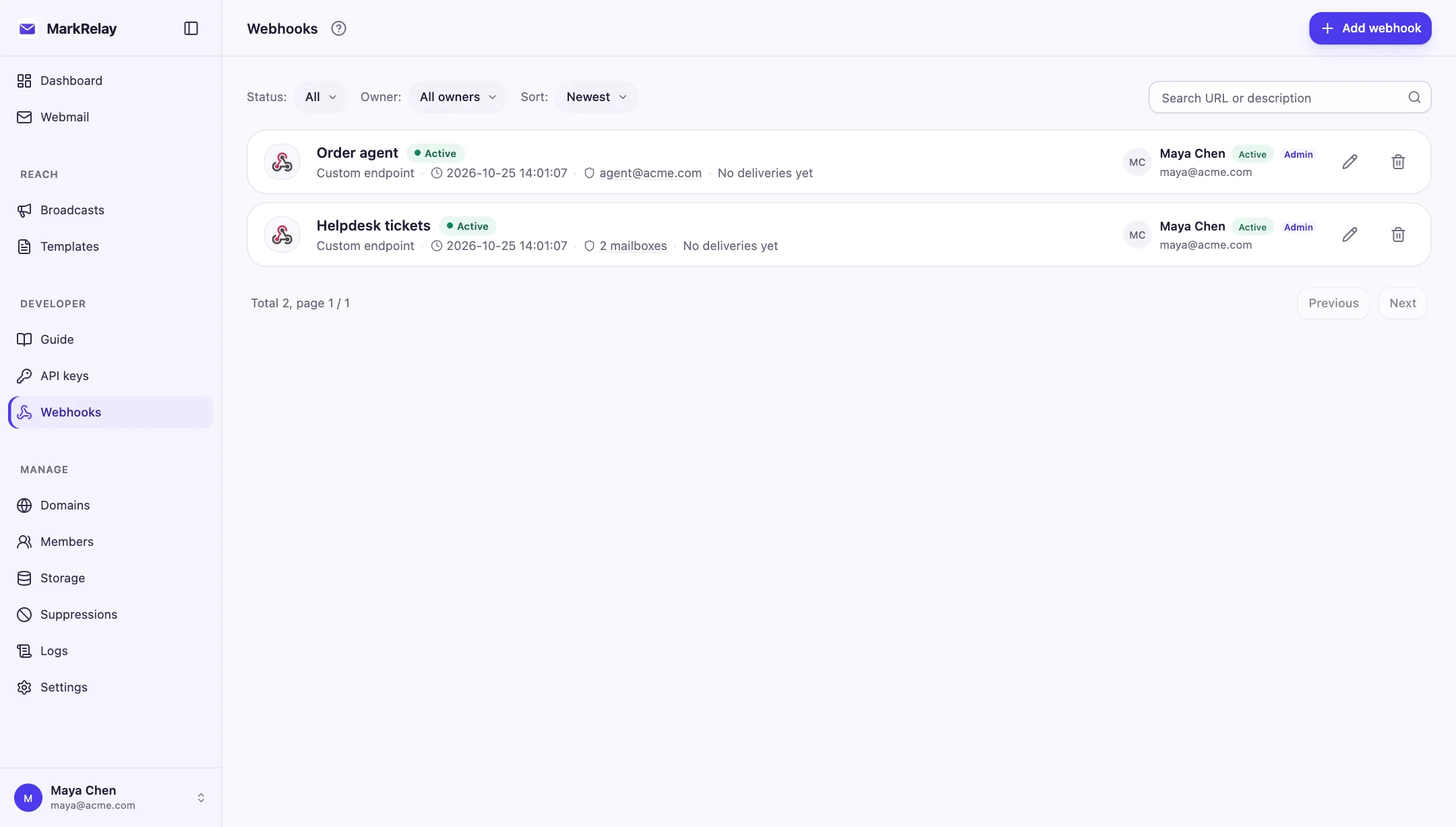
Instead of polling, point a webhook at your app. Every new message triggers an email.received event, signed with HMAC-SHA256 over the timestamp and the raw body, so your endpoint can verify it came from your deployment.
Failed deliveries are retried, recent results appear in the dashboard, and an endpoint that keeps failing is paused until you fix it and send a test. Webhooks are scoped like keys: to their owner's access, one domain, or selected mailboxes.
A webhook can also post each new email to Slack, Discord, Microsoft Teams, Google Chat, Telegram, Feishu/Lark, DingTalk or WeCom, so a team channel hears about new mail without any code.
Limits worth knowing
A message can have up to 50 To, Cc and Bcc recipients and be up to 5 MiB, with up to 20 attachments totalling 3 MiB; larger files go out as links. Send, reply and forward have no idempotency guarantee, so do not retry them blindly, and DELETE is permanent: move mail to trash when in doubt.
Call it from your own code
// One HTTP call — runs on your own domain & Cloudflare.
const MARKRELAY_API_URL = process.env.MARKRELAY_API_URL; // https://mail.yourdomain.com/openapi/v1
const MARKRELAY_API_KEY = process.env.MARKRELAY_API_KEY;

await fetch(`${MARKRELAY_API_URL}/emails/send`, {
  method: "POST",
  headers: {
    Authorization: `Bearer ${MARKRELAY_API_KEY}`,
    "Content-Type": "application/json",
  },
  body: JSON.stringify({
    from: "Acme <no-reply@yourdomain.com>",
    to: "user@example.com",
    subject: "Welcome aboard 🎉",
    html: "<p>Thanks for signing up!</p>",
  }),
});
Common questions
How is it different from Resend or SendGrid?
Those are hosted services, billed by volume, built mainly for sending. MarkRelay is self-hosted in your Cloudflare account, receives as well as sends, and keeps every message in your own D1 database and R2 bucket. Sending goes through Cloudflare Email Sending.
Can I get inbound email as a webhook?
Yes. Each new message triggers a signed email.received event (HMAC-SHA256 over the timestamp and raw body), with retries and a delivery log in the dashboard. A webhook can instead post new mail to Slack, Discord, Microsoft Teams, Google Chat, Telegram, Feishu/Lark, DingTalk or WeCom.
What are the sending limits?
Up to 50 To, Cc and Bcc recipients per message, 5 MiB per sent message, and up to 20 attachments with 3 MiB combined. Larger files are sent as links.
Is there an OpenAPI spec?
Yes. Every deployment serves an OpenAPI 3.1 document and interactive API docs for its own endpoint, plus an llms.txt for AI coding tools.
Go deeper
Explore more of MarkRelay
Use cases
Own your email stack today
Buy MarkRelay once and run it in your Cloudflare account. MarkRelay adds no per-message or per-seat charge; Cloudflare usage and service limits remain separate.